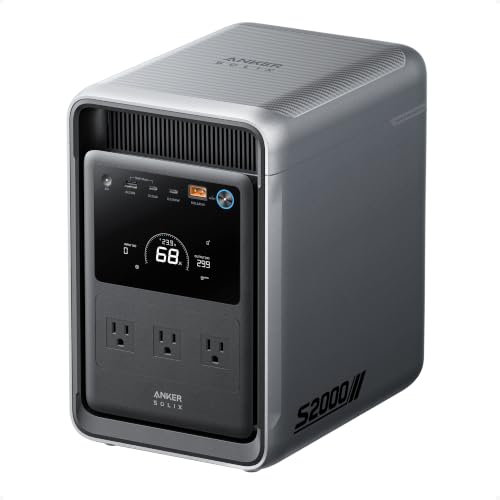

Imagine a storm knocks out your power for hours, or even days. Your refrigerator goes silent, the Wi-Fi dies, and you are left in the dark. A residential battery backup system changes this scenario entirely. It keeps your lights on, your food cold, and your devices charged. This guide covers the best options for 2026, from whole-home power stations that can run your entire house to compact UPS units that protect your computer and router. Whether you need backup for an entire home or just essential electronics, we have you covered. For a deeper look at whole-home solutions, check out our guide on the best whole home battery backup system.





Buying Guide: How to Choose the Best Residential Battery Backup System
Power Capacity and Runtime
Capacity is measured in watt-hours (Wh) or kilowatt-hours (kWh). This determines how long your devices can run. For a whole-home system, you need at least 5 kWh to cover essentials like lights, a refrigerator, and a sump pump for several hours. Smaller UPS units, like those from CyberPower, are rated in VA and watts, suitable for powering a computer and monitor for 15 to 30 minutes. Think about what you need to keep running during an outage. If you want to power your entire home, consider a high-capacity system like the Anker SOLIX E10. For a detailed comparison, read our article on best home backup battery systems.
Transfer Time and Seamless Switchover
Transfer time is the delay between a power outage and the battery backup kicking in. For sensitive electronics like computers and medical devices, a fast switchover is critical. UPS units typically have a transfer time of 2 to 20 milliseconds, which is fast enough to keep your computer running without interruption. Whole-home systems, like the Anker SOLIX E10, offer a ≤20ms switchover, ensuring no break in power. This is especially important if you have equipment that cannot tolerate even a brief power interruption.
Outlets and Connectivity
Consider how many devices you need to plug in. UPS units come with a mix of battery backup and surge-only outlets. For example, the CyberPower CP1500PFCLCD offers 12 outlets: 6 with battery backup and 6 surge-only. Whole-home systems connect directly to your electrical panel, so you do not need individual outlets. Look for models with USB ports for charging phones and tablets. If you need to protect a refrigerator or freezer, a dedicated backup like the best home battery backup for refrigerator is a wise choice.
Form Factor and Installation
Battery backup systems range from compact desktop units to large floor-standing power stations. UPS units are small and can sit on a desk or under a table. Whole-home systems like the Anker SOLIX E10 are larger and require professional installation. They can be wall-mounted or placed on the floor, and some are weatherproof for outdoor use. Consider your available space and whether you want a DIY setup or professional help. For a review of another powerful option, see our anker solix F3800 review.
Final Thoughts
Choosing the right residential battery backup system depends on your specific needs. For whole-home coverage that can power your entire house for days, the Anker SOLIX E10, Power Dock, 6kWh, 7.6kW Output stands out with its massive capacity and fast switchover. If you need reliable backup for your home office or entertainment setup, the CyberPower CP1500PFCLCD PFC Sinewave UPS Battery offers pure sine wave output and ample outlets to keep your computer and network gear running smoothly. Both options provide peace of mind during unexpected outages.
Frequently Asked Questions
What size residential battery backup system do I need?
The size depends on what you want to power. For a few electronics like a computer and router, a UPS with 1000VA to 1500VA is sufficient. For an entire home, look for a system with at least 5 kWh capacity. Assess your critical loads to determine the right size for 2026.
How long does a home battery backup last during an outage?
Runtime varies based on capacity and load. A UPS might power a computer for 15 to 30 minutes, while a whole-home system like the Anker SOLIX E10 can run essential appliances for several hours to days. Higher capacity and lower power draw extend runtime.
Can I install a residential battery backup system myself?
Small UPS units are plug-and-play and require no installation. Whole-home battery systems typically need professional installation to connect to your electrical panel. Some models offer DIY-friendly setups with detailed guides. Always follow manufacturer instructions for safety.
Are battery backup systems safe for sensitive electronics?
Yes, many models provide pure sine wave output, which is safe for sensitive electronics like computers and medical devices. UPS units with simulated sine wave are fine for most devices, but pure sine wave is recommended for Active PFC power supplies. Look for UL certification for added safety.